
Arriving in Bali should feel calm and effortless from the very beginning. As part of the arrival process, all international travelers are required to complete the Indonesia Arrival Card, the official Electronic Customs Declaration Indonesia used at Ngurah Rai International Airport.
While the process itself is straightforward, understanding each step helps you move through the airport more comfortably, without unnecessary delays. This guide is designed to walk you through it, clearly and at ease.
What is the Indonesia Arrival Card?
It is a mandatory online form issued by Indonesian Customs. It replaces the previous paper-based declaration and allows authorities to monitor goods entering the country.
All international travelers entering Indonesia are required to complete this form as part of the standard entry process.
So for example if you are entering Bali/Indonesia with a Tourist Visa a Business Visa, a Working KITAS, or any other Visa you will have to complete the Arrival Card.
Official Link to Fill to the Indonesia Arrival Card
To complete your form, please use the official government website for Indonesia Arrival Card:
It is always recommended to access the form through the official link to ensure your submission is properly recorded and secure.
When Should You Fill It Out?
You may complete the form:
- Before your flight (recommended) — available from 3 days prior to departure
- Upon arrival at the airport, if needed
Completing it in advance allows you to move through customs more smoothly, especially during busier arrival times.
Step-by-Step Guide to Fill the Indonesia Arrival Card
1. Personal Information
There are separate Indonesia Arrival Card forms for Foreign Visitors and Indonesian Citizens, so be sure to select the correct option.
You may either:
- Scan the MRZ (Machine Readable Zone) of your passport
- Or enter your details manually
Fill in your information exactly as shown in your passport:
- Full name
- Passport number
- Nationality
- Date of birth
- Gender
- Mobile number
- Email address
If you are traveling with children, you can simply click “Add Traveller” to include them within the same submission.
2. Travel Details
Provide your:
- Arrival date
- Departure date
- Visa type (VOA, tourist visa, KITAS, etc.)
- Address in Indonesia (hotel or residence)
3. Mode of Transportation
Select your mode of entry:
- Air or Sea
Then complete the following:
- Port of entry (for example, Bali – Ngurah Rai)
- Type of transport
- Flight name
- Flight number
4. Declaration
This section ensures your arrival complies with Indonesia’s regulations:
Health Declaration
You will be asked to complete a health declaration as part of Indonesia’s public health protocols.
Quarantine Declaration
Declare if you are bringing:
- Animals
- Fish
- Plants
- Any related products
Customs Declaration (BC 2.2)
This section covers the items you are bringing into Indonesia:
- Number of accompanying baggage
- Whether you carry items that must be declared
You will also be asked about electronic devices such as mobile phones.
For foreign visitors staying under 90 days, IMEI registration is generally not required for personal use devices. Check our complete IMEI guide if you are staying more than 90 days.
5. Submit the Form of the Indonesia arrival Card
Once everything is completed:
- Submit the Indonesia Arrival Card form online
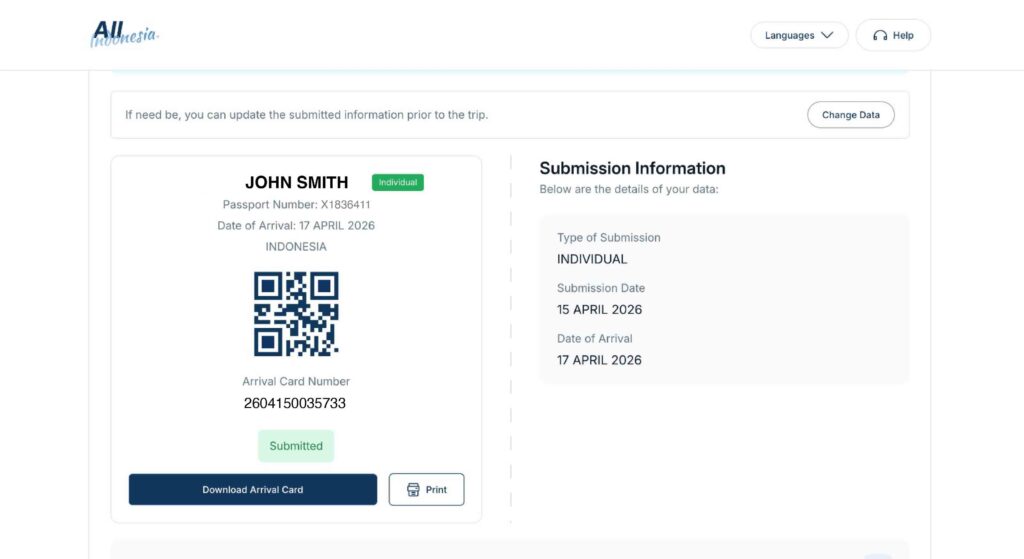
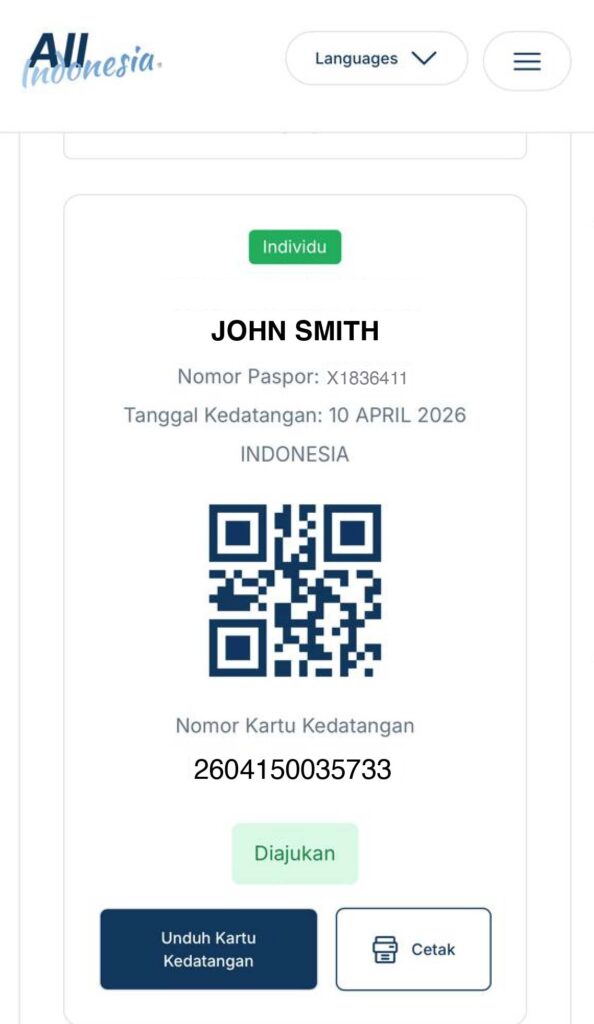
- You will receive a QR code
It’s a good idea to keep this QR code easily accessible, either saved or screenshotted.
After you arrive
- Open your QR code
- Present it to the customs officer at the designated counter
If everything is in order, you will pass through smoothly.
In some cases, you may be guided for a brief inspection.
Important Tips for a Smooth Arrival
- Take a screenshot of your QR code (internet connection can vary upon arrival)
- One submission is sufficient for families traveling together
- The process usually takes only 3–5 minutes
- Review your details carefully before submitting
A small moment of preparation can make your arrival feel much more at ease.
Many travelers find that preparing their arrival documents in advance, whether it’s the customs declaration or visa, allows them to settle into Bali more naturally.
Bali has its own rhythm, unhurried, welcoming, and quietly grounding. By completing your Indonesia Arrival Card ahead of time, you begin your journey in that same spirit.
And should you ever need guidance along the way, it’s always comforting to know that we are here to support you and answer your questions.